
Navidrome integration
Connect to an existing local or remote Navidrome server through its supported API.
A lightweight media bridge for Navidrome
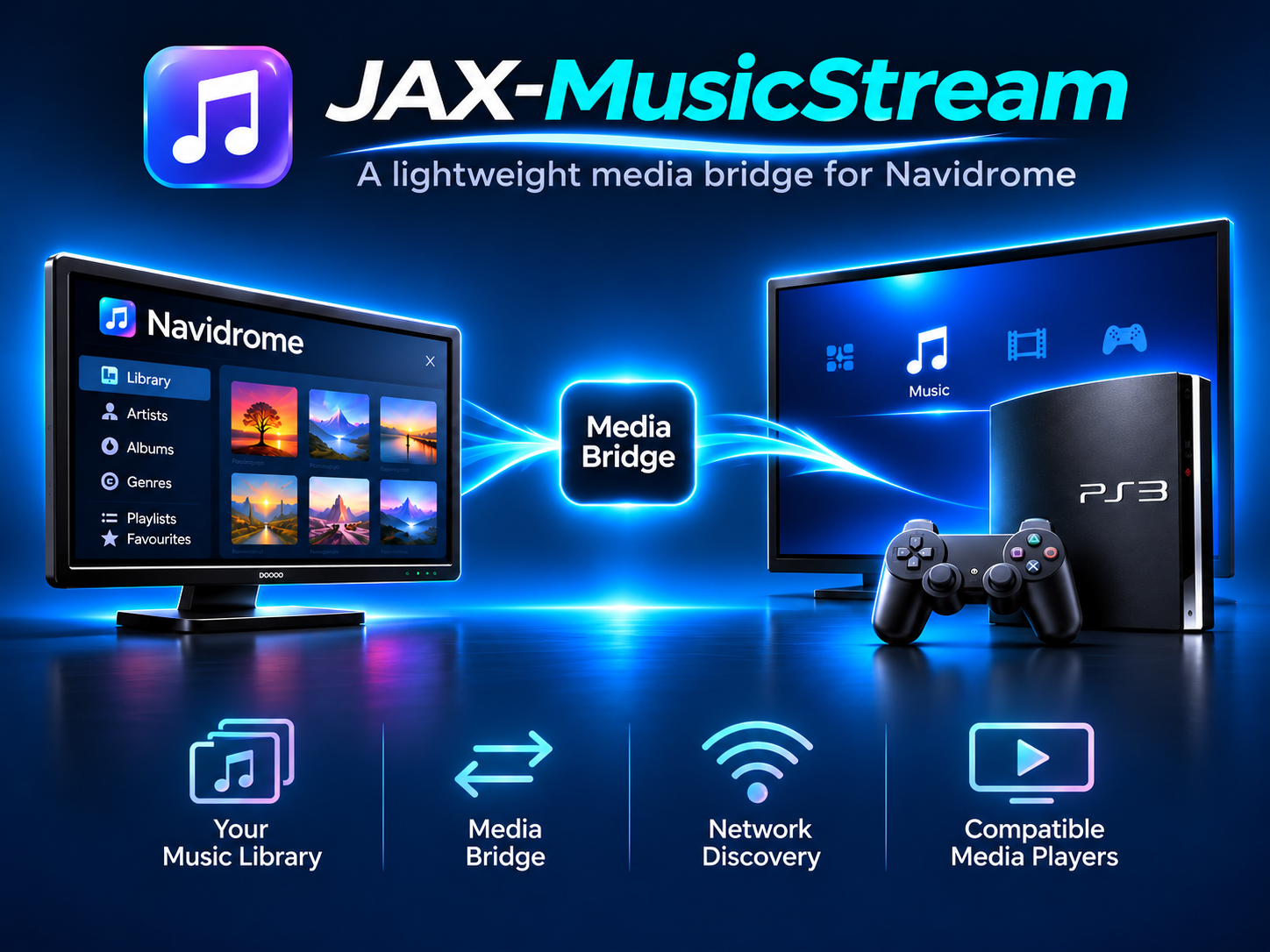
JAX-MusicStream brings your Navidrome music library to compatible UPnP and DLNA players, including devices with no native Navidrome support. The software is designed to run on Linux and link to Navidrome over the Subsonic API.
Overview
Navidrome is a self-hosted music server for your personal digital music collection. Many older media players speak UPnP/DLNA and have no built-in support for Navidrome or the Subsonic API.
JAX-MusicStream connects to your configured Navidrome server and makes supported music available to compatible DLNA clients on your local network. Your existing Navidrome installation continues to manage the library while JAX-MusicStream handles discovery, browsing and playback for those clients.

Features
Connect to an existing local or remote Navidrome server through its supported API.
Compatible players use SSDP to discover the bridge on your local network.
Browse supported library content through UPnP ContentDirectory.
Play original MP3 media over HTTP without audio transcoding.
Written in Go and distributed as a standalone Linux AMD64 executable.
Browse and stream without modifying your Navidrome music library.
Run JAX-MusicStream as a systemd service using the supplied installation assets.
Use the health-check endpoint with monitoring tools such as Nagios and Zabbix.
Choose the listening interface, address and port for your setup.
Available as proprietary freeware under the supplied licence terms.
How it works
Navidrome serves your library. JAX-MusicStream makes the original MP3 streams available to compatible players.

Compatibility
The earlier build passed hardware acceptance with all three players operating simultaneously. Version 1.1.0 has not received a new hardware acceptance pass.

Browse and play your Navidrome library on the console through DLNA.
Discover the bridge and stream music with VLC.
Access the shared music library from the legacy Windows player.
The release targets Linux AMD64 (x86-64). Compatibility with other UPnP/DLNA devices, operating systems, audio formats or Navidrome versions can vary.
JAX-MusicStream is independently developed and published by Jaxxnet.
Neither JAX-MusicStream nor this website is affiliated with, endorsed by, sponsored by or associated with the Digital Living Network Alliance (DLNA), SpireSpark International, the UPnP Forum, the Open Connectivity Foundation (OCF), Sony Interactive Entertainment, Microsoft, VideoLAN or the Navidrome project.
JAX-MusicStream is an independently developed media bridge. References to DLNA and UPnP technologies are provided solely to describe technical functionality and intended interoperability. JAX-MusicStream is not officially certified under either certification programme.
The Sony PlayStation 3 Slim, VLC Media Player and Windows Media Player Legacy were selected independently for compatibility testing. References to these products do not imply official endorsement, partnership or certification.
All third-party product names, trademarks, service marks, certification marks and logos belong to their respective owners.
Installation
sha256sum -c SHA256SUMS
mkdir jax-musicstream-1.1.0
tar -xzf jax-musicstream-1.1.0-linux-amd64.tar.gz -C jax-musicstream-1.1.0
cd jax-musicstream-1.1.0
sha256sum -c SHA256SUMS
./jax-musicstream --version
sudo bash scripts/install.sh ./jax-musicstream
# Now read USER-GUIDE.md in the folder.
Run the first checksum command in the directory containing both downloads. The installer creates the service assets but does not start or enable the service. Configure /etc/jax-musicstream/config.yaml and /etc/jax-musicstream/secrets.env as described in the included user guide, then start jax-musicstream.service.
Downloads
jax-musicstream-1.1.0-linux-amd64.tar.gz3,696,031 bytes (3.52 MiB)
1eed9e35dd7e31fa773c890b23f8d39a71272af50f9658fbfdc3632acbb4c10eFAQ
It’s a lightweight media bridge for Navidrome that lets compatible UPnP/DLNA players browse and play supported music from your Navidrome library.
Yes. JAX-MusicStream connects to an existing Navidrome server, which continues to manage and serve your library.
JAX-MusicStream streams original MP3 audio without transcoding.
Yes. JAX-MusicStream is proprietary freeware distributed under the terms in LICENSE.txt.
Yes. Commercial and personal use are permitted subject to the supplied licence terms.
JAX-MusicStream is designed to browse and stream with read-only access to the Navidrome music library.
The Sony PlayStation 3 Slim was successfully tested during hardware acceptance.
JAX-MusicStream is proprietary freeware. Third-party components retain their respective licence rights.
It runs as a standalone Linux executable and can be managed by systemd using the supplied assets.
JAX-MusicStream is designed for local-network DLNA access. Ordinary local operation requires no Internet-facing inbound ports. In fact, we do not advise exposing any services to the Internet unnecessarily.
This release is for Linux AMD64 (x86-64).
Compatibility depends on the client and its support for the discovery, browsing and playback features used by the bridge. See the hardware acceptance results for the tested clients.